
Log In to Use My Garage
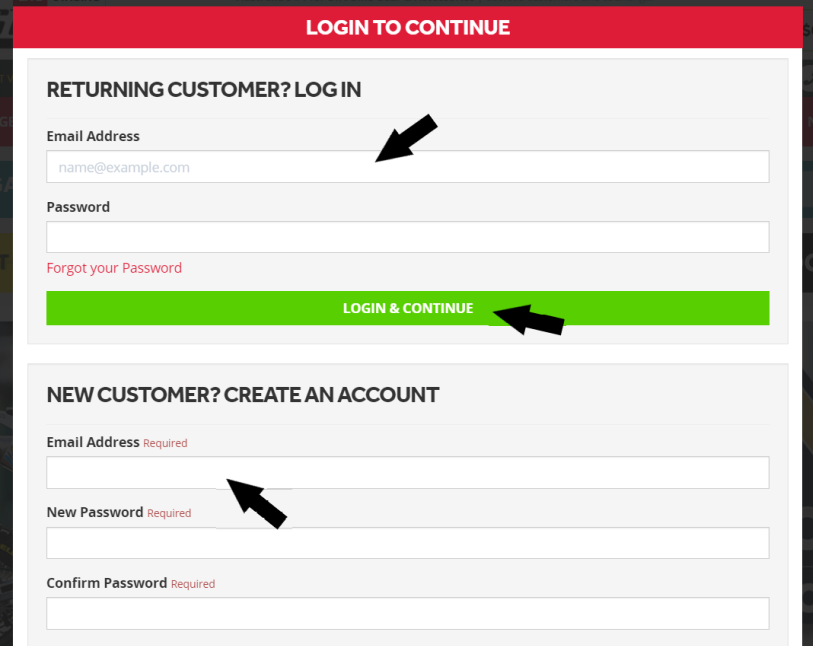
1) Before you start, make sure you are logged into your MXstore account or create a new account:
Save Your Bike via the Website
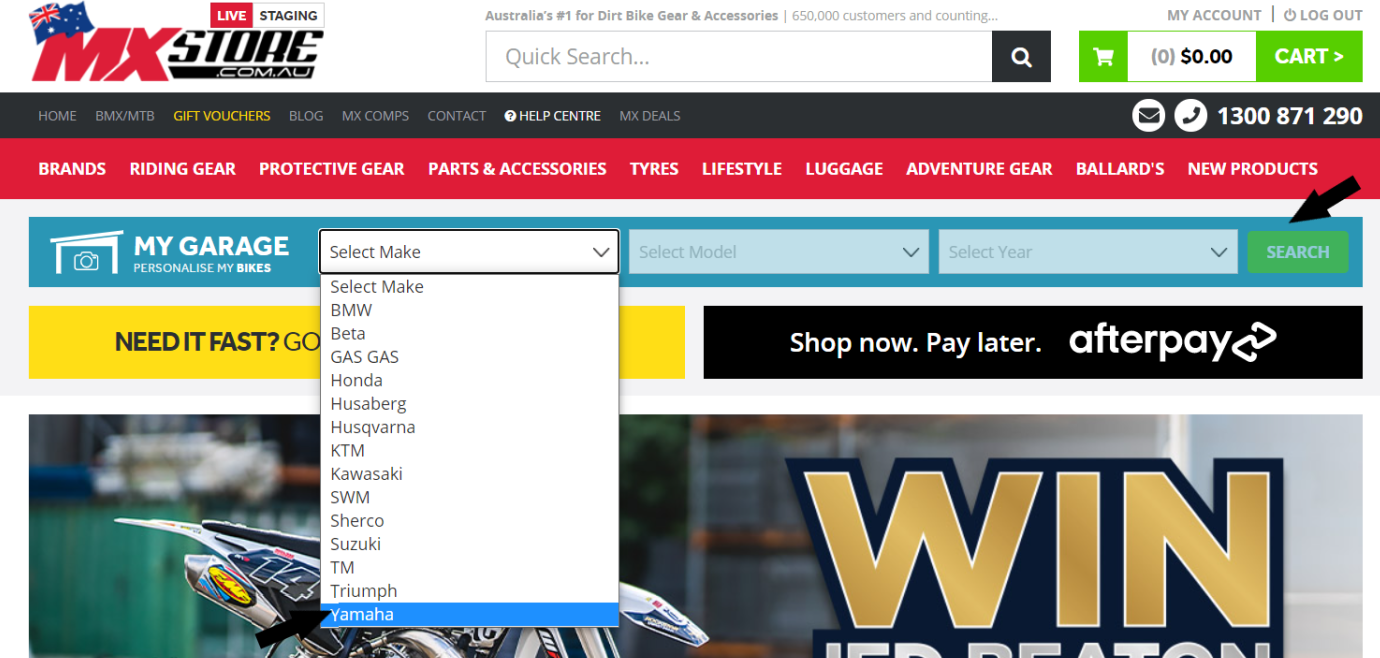
1) Start by searching for your bike via the My Garage Parts Finder:
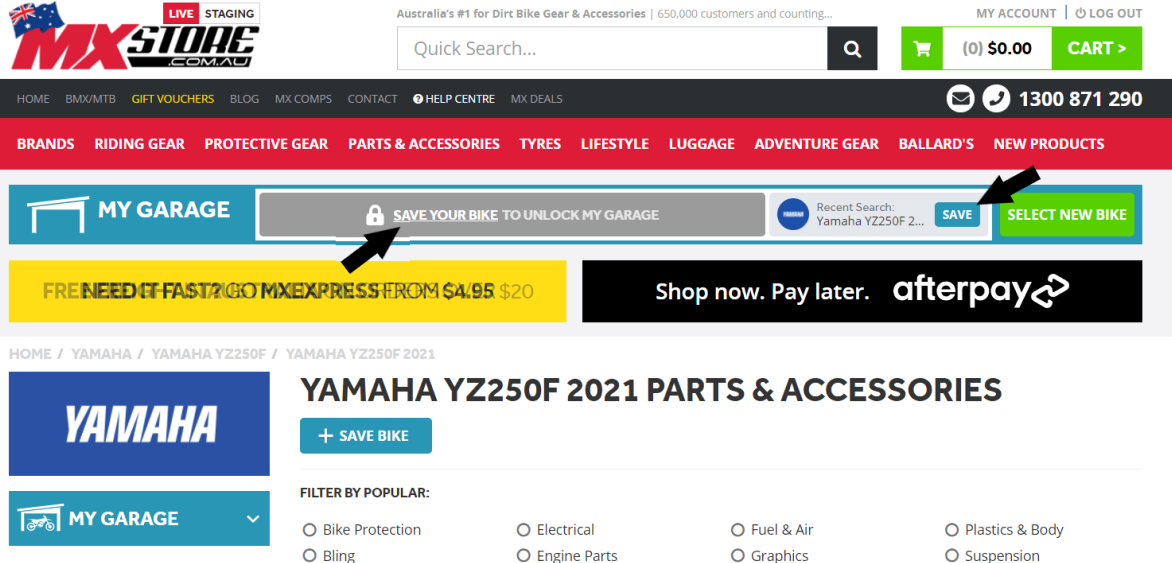
2) Save your bike by selecting either of the two options below:
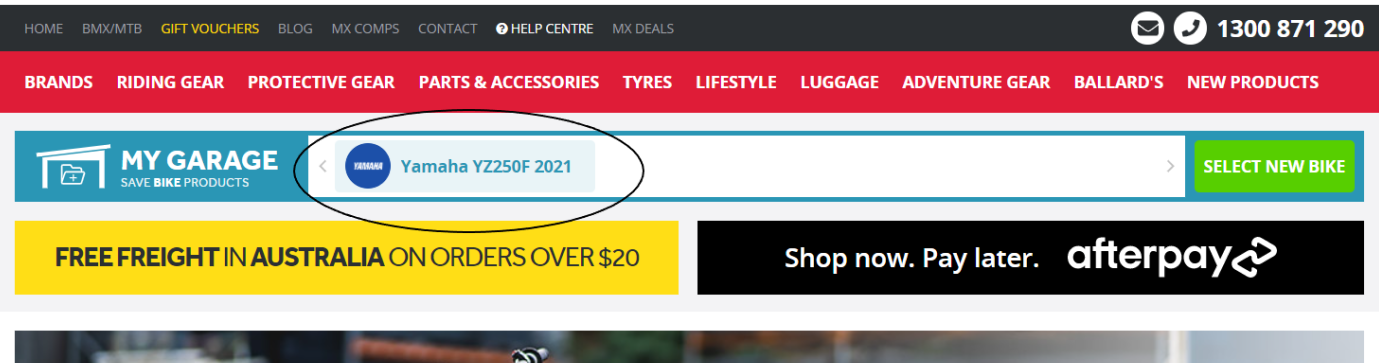
3) Your bike is now SAVED!
Save Your Bike via My Garage
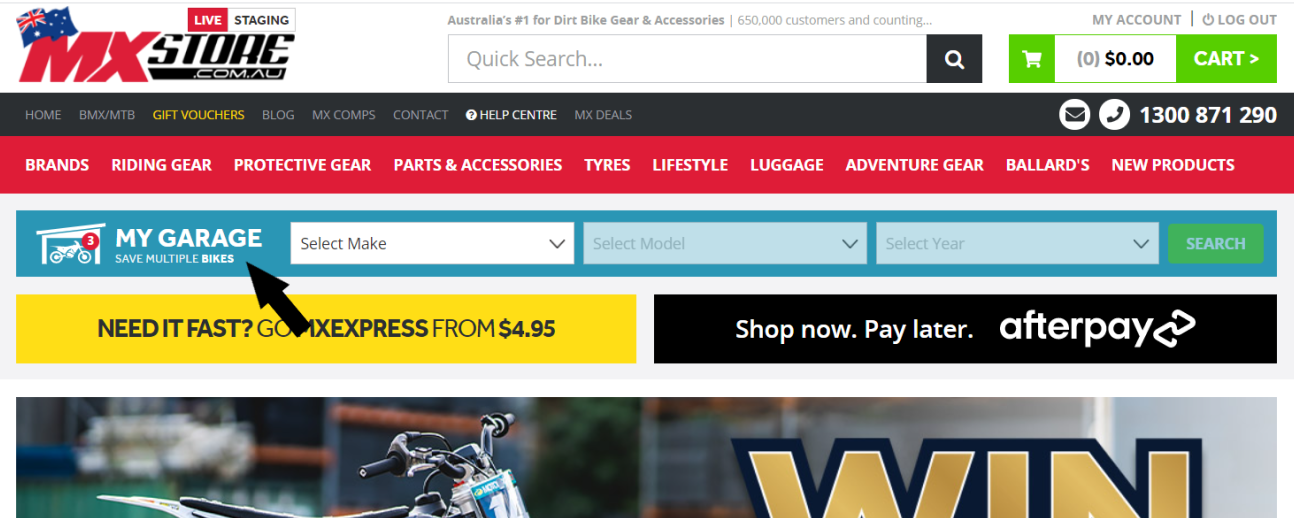
1) Click through to My Garage via the My Garage Parts Finder:
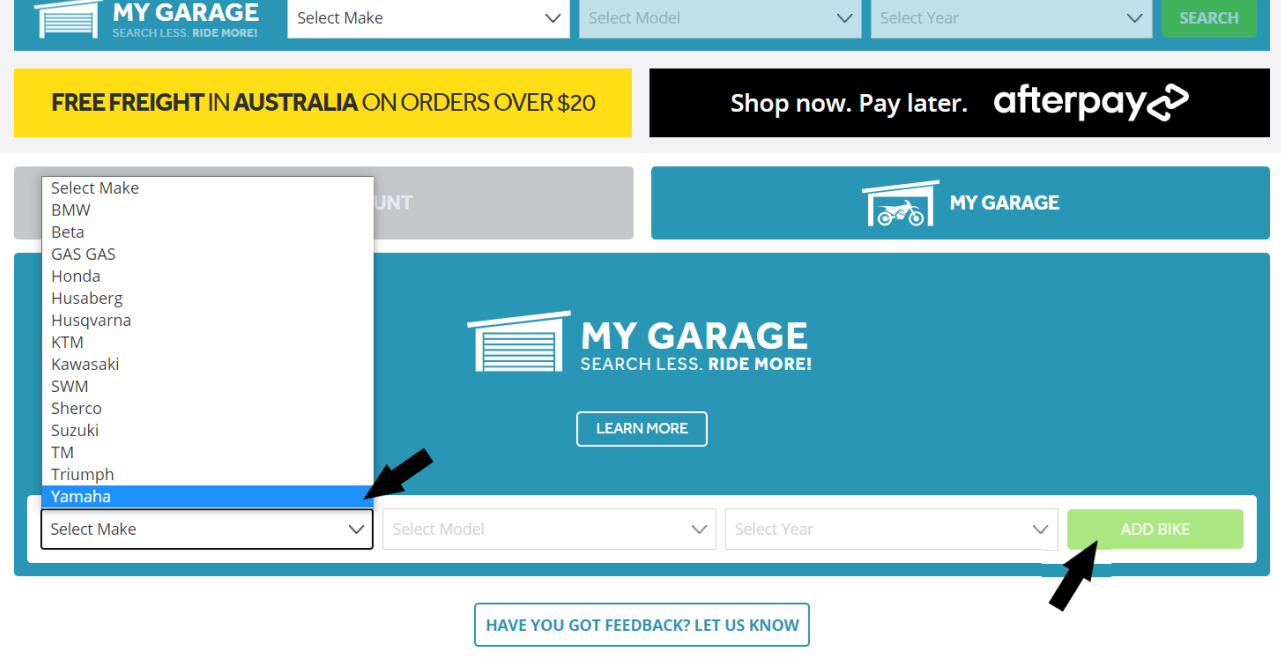
2) Enter your bike details by selecting the drop-down boxes and select "Add Bike":
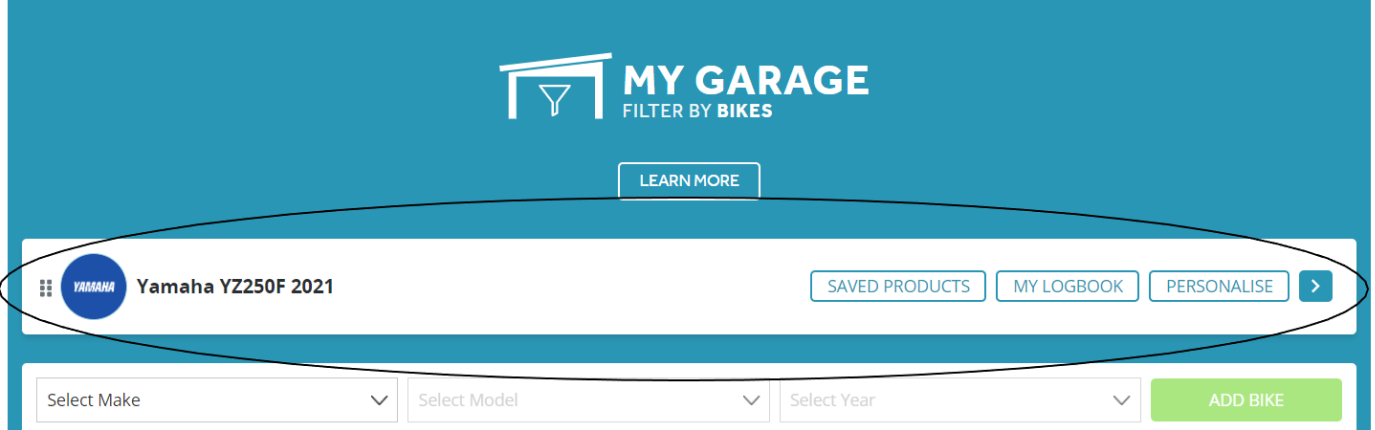
4) Your bike is now SAVED!
Having trouble saving your bike? Get in touch with our Customer Service legends and we can help!
